Cyber Security
Cyber Security Awareness for Beginners: Everything You Need to Know
Pawan PanwarMay 7, 2026
Preparing your workspace...
Loading latest data
Loading article...
Preparing blog content
Do you want to know what Cyber Security Awareness for Beginners is and how it helps in reducing unwanted cyber attacks? If yes, then you are at the right place. Here, we will talk about what “cyber security awareness” is in detail.
Moreover, we will introduce you to a reliable Catch The Flag platform offered by a reputable VAPT service provider. What are we waiting for? Let’s get straight to the topic!
The knowledge and mindset that people have about safeguarding digital assets and preventing unwanted access is known as cybersecurity awareness. It entails being aware of the wide variety of hazards, including malware, social engineering, and phishing, and actively adopting safe online practices to reduce those risks.
In the end, it seeks to turn staff members and users into a human firewall, enabling them to identify and address possible security issues before they become dangerous. Let’s take a look at what Cyber Security Awareness for Beginners is and how it helps them!
|
S.No. |
Factors |
Why? |
|
1. |
Human Error is the Primary Risk |
By enabling users to identify psychological manipulation, it eliminates the root cause of more than 90% of successful breaches. |
|
2. |
Protection of Personal and Financial Data |
It offers the information required to safeguard private accounts and banking information and to stop illegal access. |
|
3. |
Prevention of Identity Theft |
Before attackers can take personal information to commit fraud in their name, awareness aids novices in identifying social engineering techniques. |
|
4. |
Security Beyond the Computer |
It teaches that any linked technology, including cellphones, smart home appliances, and public Wi-Fi networks, is vulnerable to dangers. |
|
5. |
Building a Safer Digital Community |
By acting as a "human firewall," knowledgeable individuals stop friends, relatives, and coworkers from being attacked via their compromised accounts. |
The following are some common cyber threats every beginner should know:
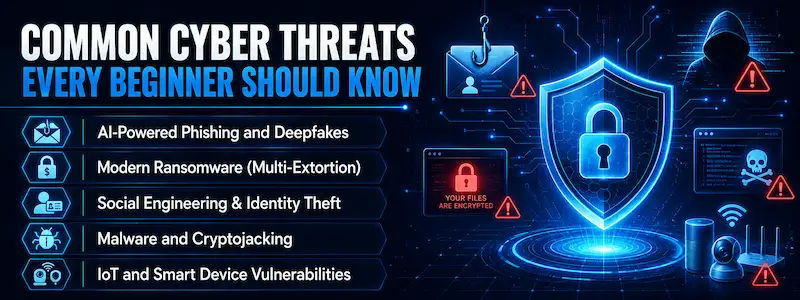
Social engineering is a deceptive tactic that uses human psychology rather than technical flaws to fool people into disclosing private information or taking actions that jeopardize security. Attackers can get over even the most advanced digital security by tricking someone into opening the door for them by taking advantage of feelings like trust, fear, or haste.
|
S.No. |
Factors |
How? |
|
1. |
Verify the Sender's Email Address |
Look for "spoofed" domains or minor misspellings that imitate reputable brands, like "[email protected]" rather than "google.com." |
|
2. |
Hover Before You Click |
Before interacting, move your mouse over any link to see the destination URL in the bottom corner of your email client or browser. |
|
3. |
Analyze the Tone and Urgency |
Messages that employ threatening language, demand quick action, or instill a false sense of urgency to avoid using critical thinking should be avoided. |
|
4. |
Check for Generic Salutations |
Since genuine businesses typically address you by name, "Dear Valued Customer" or "User" should raise suspicions about mass phishing. |
|
5. |
Scrutinize File Extensions |
Steer clear of opening unsolicited attachments, particularly those with high-risk extensions like.exe,.zip, or.scr, which are frequently used to distribute malware. |
The following are some basic cybersecurity rules for safe internet use:
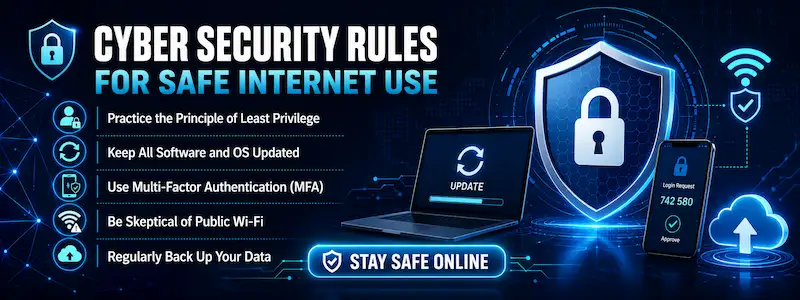
● Practice the Principle of Least Privilege: Limit app permissions to what is absolutely necessary for them to work, and only utilize administrative accounts when absolutely necessary.
● Keep All Software and OS Updated: Turn on automatic updates to guarantee that important security fixes are applied right away to fix vulnerabilities that hackers take advantage of.
● Use Multi-Factor Authentication (MFA): In order to prevent an attacker from accessing your account even if they manage to steal your password, you should add a crucial second layer of security.
● Be Skeptical of Public Wi-Fi: When in public, always use a reliable VPN to secure your data and stay away from sensitive accounts like banking on open networks.
● Regularly Back Up Your Data: To make sure you can recover from ransomware or hardware failure, keep up-to-date copies of your critical files on an encrypted external drive or secure cloud service.
In the following ways, you can create strong passwords and protect your accounts:
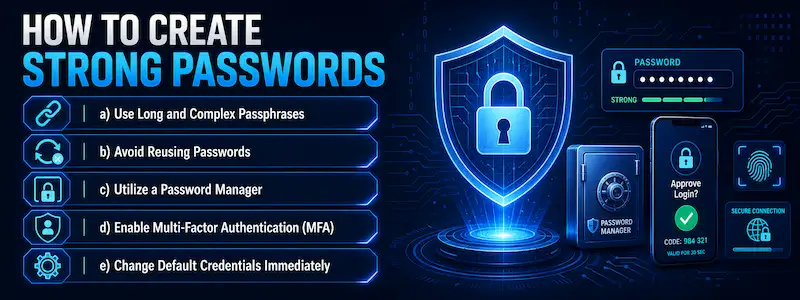
a) Use Long and Complex Passphrases: Create a lengthy string with four or more random words that is simple for you to remember but computationally hard for hackers to decipher.
b) Avoid Reusing Passwords: Make sure each account has a distinct credential to prevent hackers from gaining access to your entire digital life due to a single data leak at one website.
c) Utilize a Password Manager: Instead of having to commit dozens of distinct logins to memory, create, store, and automatically fill complicated passwords using an encrypted vault.
d) Enable Multi-Factor Authentication (MFA): To prevent 99% of automated account takeover attempts, add a crucial additional verification step, such as a physical security key or an authenticator app.
e) Change Default Credentials Immediately: New routers and smart devices should always have their "admin/admin" factory settings updated because they are the first things malicious bots look for.
|
S.No. |
Tips |
What? |
|
1. |
Look for the Padlock (HTTPS) |
Make sure the website uses encryption to prevent third parties from intercepting your data. |
|
2. |
Use a Secure and Private Browser |
Select browsers that prioritize security and tracking protection by default, such as Firefox or Brave. |
|
3. |
Install an Ad-Blocker and Privacy Extension |
Prevent harmful advertisements and trackers that have the ability to covertly install malware or profile your behavior. |
|
4. |
Avoid "Clickbait" and Suspicious Pop-ups |
Avoid clicking "system alert" windows or sensationalist links, as these are frequently entry points to phishing websites. |
|
5. |
Check Site Reputation Before Downloading |
Before downloading any files, check the security of a website using programs like VirusTotal or Google Safe Browsing. |
Using virtual private networks (VPNs) to encrypt your data and turning off automatic connection settings to avoid joining hostile "evil twin" networks are key components of mobile and public Wi-Fi safety.
Treating all public hotspots as compromised is crucial, and until you are on a reliable, secure connection, avoid accessing sensitive accounts like email or banking.
The goal of cybersecurity at work and school is to safeguard shared networks by following stringent data handling guidelines and realizing that one person's carelessness can endanger the entire company.
Maintaining the confidentiality of critical academic or corporate data necessitates ongoing attention to physical security, such as locking workstations and utilizing secure file-sharing techniques.
|
S.No. |
Tools |
What? |
|
1. |
Password Managers |
You won't ever need to remember a password thanks to these encrypted vaults, such as 1Password or Bitwarden, which create and store complicated, one-of-a-kind credentials. |
|
2. |
Comprehensive Antivirus |
With little effort on the part of the user, programs like Bitdefender or Norton 360 offer a proactive defense against malware, ransomware, and phishing websites. |
|
3. |
Authenticator Apps |
By requiring a one-time code, apps like Microsoft Authenticator and 2FAS guarantee that your accounts stay safe even if your password is stolen. |
|
4. |
Virtual Private Networks (VPNs) |
To be safe when using public Wi-Fi, services like NordVPN and Proton VPN encrypt your internet traffic and conceal your IP address. |
|
5. |
Privacy-Focused Browsers |
Intrusive trackers and dangerous advertisements are automatically blocked by browsers like Firefox and Brave, making browsing safer and cleaner right out of the box. |
The following are some final cybersecurity awareness checklists for beginners:
About Cyber Security Awareness for Beginners
1. What to learn as a beginner in cybersecurity?
In order to grasp how data moves and how systems are attacked, beginners should concentrate on Networking Fundamentals (TCP/IP, DNS, and HTTP) and Operating System Mastery (particularly, Linux and Windows).
2. What are the 5 C's of cybersecurity?
The following are the 5 Cs of cybersecurity:
a) Change,
b) Compliance,
c) Cost,
d) Continuity, and
e) Coverage.
3. Which app is safe from hackers?
Although no tool is completely impervious to hackers, open-source programs with end-to-end encryption, such as Bitwarden for passwords, Proton Mail for email, and Signal for chat, are regarded as the best in 2026.
4. What is basic cybersecurity awareness?
The fundamental knowledge of digital dangers and the proactive behaviors needed to safeguard devices, networks, and personal data from malevolent actors is known as basic cybersecurity awareness.
5. How can I learn cybersecurity as a beginner?
In the following ways, you can learn cybersecurity as a beginner:
a) Master the Fundamentals of Networking,
b) Get Comfortable with Linux and Command Line,
c) Utilize "Capture The Flag" (CTF) Platforms,
d) Study the "Security+ Mindset", and
e) Build a Home Lab.
6. Can I learn cybersecurity by myself?
Yes, you can learn cybersecurity on your own by using excellent resources like TryHackMe, Coursera, and the extensive collection of free laboratories and documentation that the international security community has to offer.
7. What is L1, L2, L3 SOC analyst?
The hierarchy of a Security Operations Center (SOC) is represented by these levels, with L1 concentrating on early alert monitoring and triage, L2 managing more in-depth investigation and incident response, and L3 carrying out sophisticated threat hunting and intricate digital forensics.
Now that we have talked about Cyber Security Awareness for Beginners, you might want to test your cybersecurity skills and knowledge as well. For that, you can go for Crack The Lab, a dedicated Catch The Flag offered by Craw Security.
Moreover, this platform offers the facility of using cybersecurity knowledge & skills to fight against the offensive team (Red Team) and secure the platform they get into as the platform's defensive team (Blue Team). What are you waiting for? Contact, Now!